
Fanvault Creator Payouts Hub is the dedicated dashboard where creators view lifetime earnings, monitor pending balances, and reconcile payout history across every revenue source on the platform. Whether you are stacking auction wins, recurring memberships, tips, or wishlist gifts, the hub gives you one clean view of what you have earned, what is clearing, and what hits your bank next.
⚡ Key Takeaways
- The Creator Payouts Hub gives Fanvault creators one dashboard for lifetime earnings, pending balances, and payout history.
- Every number reflects the 92% creator share after Fanvault's 8% platform fee, so what you see is what you actually earned.
- Earnings split out by source (auctions, drops, memberships, paid DMs, tips, wishlists) so you can spot your strongest channel.
- Pending balances show which sale is funding which payout, with the exact Stripe Connect transfer date.
- CSV and PDF exports power tax and accounting workflows, while bank details stay with Stripe.
Most creators have spent years bouncing between Stripe dashboards, spreadsheet exports, and screenshots from a dozen apps just to figure out what they actually made last month. On Fanvault, every dollar from every revenue stream flows through one ledger, and the Payouts Hub is where you read it. Here is how to use it end to end.
Where do I find the Creator Payouts Hub?
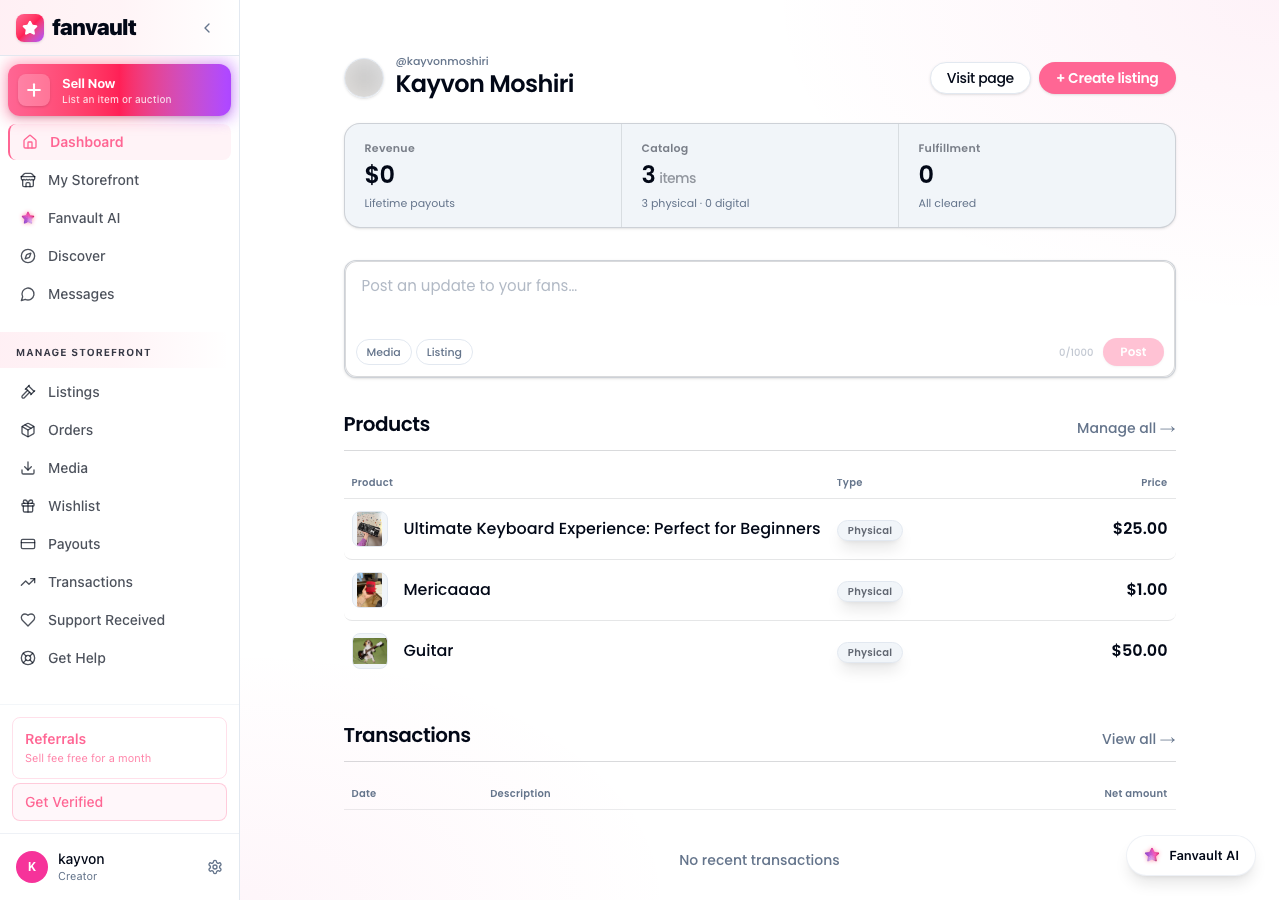
From any page on Fanvault, open the creator dashboard and look for Payouts in the left sidebar under Selling. One click loads the hub. The top of the screen leads with your lifetime payout total, the headline number that tells you exactly how much Fanvault has paid out to you since you joined.
What does the overview screen actually show?
The overview is built around three cards at the top: lifetime earnings, pending balance, and your next payout date. Below those, a timeline view plots your earnings by week so you can spot momentum (or a slow patch) without digging through transactions. Everything is live, no refresh needed.
The lifetime card always reflects Fanvault's 92% creator share after the 8% platform fee. No mental math, no surprise deductions. What you see in the hub is what has already been credited to you.
How do I check my pending balance and payout schedule?
The pending balance card shows funds that have cleared the platform but have not hit your bank account yet. Click it to see a per-transaction breakdown, including the auction or drop that generated the funds, the buyer's checkout date, and the exact date the money will land via Stripe Connect.
Fanvault uses Stripe's standard rolling payout schedule, so most balances clear within a few business days of the original sale. Auctions clear after the winner pays and the item ships. Tips and subscriptions clear faster. The schedule column tells you which is which.
How do I break down earnings by revenue source?
Under the cards you will find a By Source panel that splits earnings into auctions, buy-it-now drops, memberships, paid DMs, tips, and wishlists. Each row shows the count, gross revenue, the Fanvault 8% fee, and your net. This is the single most useful view if you are trying to figure out where to invest more of your time.
You might learn, for example, that wishlists (a category no other named competitor in your stack offers) are quietly your second-biggest revenue source after auctions, and decide to refresh that list every week.
How do I review my full payout history?
Scroll down past the source panel and you hit the full payout history table. Every payout Fanvault has ever sent shows up here with the date, amount, source mix, and a status badge. Click any row to drill into the underlying transactions, including the Stripe transfer ID and buyer-side details where privacy rules allow.
The table supports filters by date range, source, and status, so you can pull every auction payout from Q1, or every membership renewal in May, with two clicks.
How do I export payouts for taxes or accounting?
In the top-right corner of the history table, click Export. You can pull a CSV of any filtered view (perfect for a bookkeeper), or generate a year-to-date PDF summary that your accountant can drop straight into your tax filing. Stripe Connect handles your annual 1099-K if you are a US creator, and the Fanvault export complements it with the platform-side breakdown by source.
How do I update my Stripe Connect payout settings?
Click the Payout Settings link at the top of the hub to jump into your Stripe Connect dashboard. From there you can update your bank account, change payout cadence if your account qualifies, and refresh identity-verification documents. Fanvault never stores your bank details directly. Stripe holds them under their compliance umbrella, and the hub simply mirrors the status back to you.
The Payouts Hub turns financial visibility from a chore into a glance. You can finally answer how much you made last week without opening a spreadsheet, and that clarity is what lets creators on Fanvault treat their work like the real business it already is.
Frequently Asked Questions
How fast do Fanvault payouts hit my bank?
Fanvault routes payouts through Stripe Connect on Stripe's standard rolling schedule, so most balances land in your bank account within a few business days of the underlying sale clearing. Tips and subscription renewals usually clear fastest. Auctions clear after the winner pays and the item ships, since the buyer-protection window has to close before funds settle.
Does the hub clearly show what Fanvault took in fees?
Yes. Every row in the By Source panel breaks out gross revenue, the 8% Fanvault platform fee, and your 92% net side by side. The lifetime earnings card at the top already reflects your net, so there is no mental math required. If a number ever looks off, the per-transaction drill-down will show you the exact fee that was applied.
Can my accountant pull historical data without logging in as me?
You can export any filtered view as a CSV or a year-to-date PDF summary directly from the hub. Most creators share the PDF with their accountant at tax time and the CSV with a bookkeeper for monthly reconciliation. Stripe Connect issues your 1099-K separately if you qualify, and the Fanvault export adds the source-level detail Stripe does not provide.
What happens to my balance if a buyer disputes a charge?
If a dispute opens on a transaction that is still in the pending column, the funds for that sale are held back from your next payout until the dispute resolves. The history table marks the row with a Disputed status so you can see exactly what is affected. Cleared and previously-paid amounts are not retroactively pulled from your bank account by the hub.
Do I need a Stripe account to use the Payouts Hub?
Yes. Fanvault uses Stripe Connect for payments and payouts in all 24 launch countries, so a verified Stripe Connect account is part of your onboarding. The hub is the Fanvault-side view of what Stripe is moving on your behalf, and the Payout Settings link takes you straight into your Stripe dashboard whenever you need to update banking or identity documents.