Fanvault Payouts Hub is the single dashboard creators use to view pending balances, request payouts, and confirm fulfilled drop and auction earnings. It replaces the spreadsheet juggling and DM check-ins most creators got used to on older platforms. With Fanvault keeping only 8%, you also see exactly what hits your bank, no buried fees, no surprise reserves.
⚡ Key Takeaways
- Payouts Hub lives under Selling in the creator dashboard sidebar.
- Three balance cards show lifetime, available, and pending earnings.
- Per-source panel splits revenue across auctions, drops, tips, DMs, wishlist, and subs.
- Requesting a payout pushes funds to your Stripe Connect account in 1 to 2 business days.
- Auction and drop earnings auto-release once Shippo tracking shows delivered.
- Fanvault keeps 8%, you keep 92%, with no hidden reserves.
Where do I find the Payouts Hub?
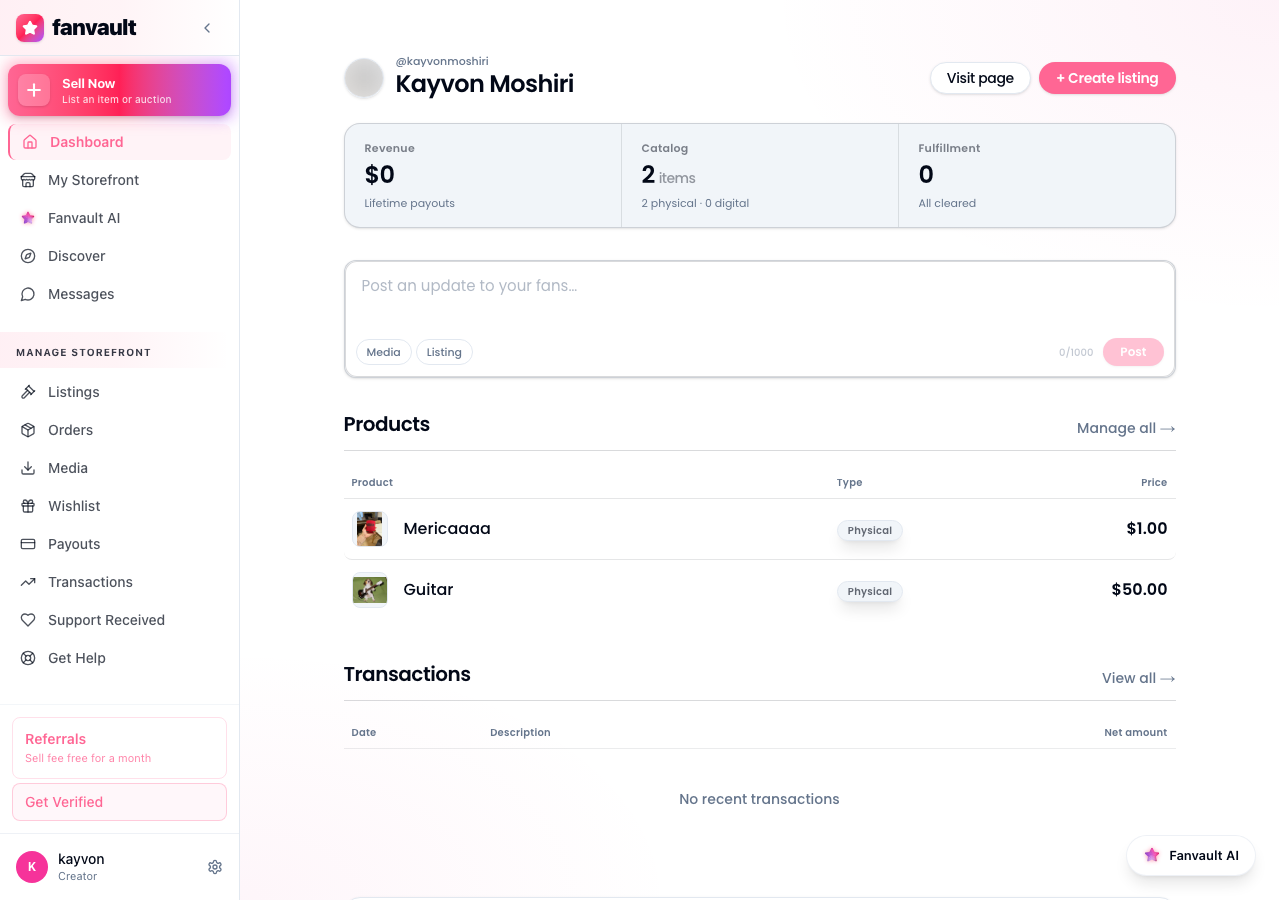
Log in to fanvault.shop, open your creator dashboard, and click Payouts in the left sidebar under Selling. The hub loads your lifetime payout total at the top, then breaks the rest of the screen into pending balance, available balance, and per-source revenue.
How do I read the balance cards?
Three cards sit at the top of the hub. Lifetime earnings shows everything you've made on Fanvault since onboarding. Available balance is what you can withdraw right now. Pending balance is money from drops or auctions that's still in the buyer protection window or waiting on tracking confirmation.
Hover any card for a tooltip that explains the math, including the 92% creator share Fanvault applies to every transaction.
How do I see revenue by source?
Under the balance cards, the per-source panel splits your earnings across auctions, buy-it-now drops, tips, paid DMs, wishlist purchases, and subscription tiers. Each row shows gross sales, the 8% platform fee, and your net payout.
Use the date range selector in the top right to scope the view to the last 7, 30, or 90 days. The view updates instantly without a page reload.
How do I request a payout?
Click Request Payout in the available balance card. A side panel slides in, pre-filled with the connected Stripe account you set up at onboarding. Confirm the amount (you can do a partial or a full withdrawal), then hit Send to Stripe.
Stripe handles the bank transfer through Stripe Connect, the same regulated rails your identity was verified on during onboarding. Most payouts land in 1 to 2 business days.
How do I confirm fulfilled drops and auctions?
Auction and drop earnings stay in pending balance until the buyer's item is marked delivered. Open the Pending tab inside the hub to see every order awaiting fulfillment, with its Shippo tracking number linked directly.
Once tracking shows delivered, the payment auto-releases into available balance. If a buyer flags an issue, the order pauses here and Fanvault support steps in before any funds move.
How do I track payout history?
Scroll to the History section at the bottom of the hub. Every past payout is logged with the request date, the Stripe transfer ID, the amount, and the status (sent, in transit, paid). Click any row to expand the underlying transactions that funded that payout.
You can export the full history as CSV for your bookkeeper or accountant. The export includes per-transaction fees so your tax prep matches what Stripe reports.
What does this unlock for me as a creator?
Most creator platforms make you choose between knowing your numbers and getting paid quickly. The Fanvault Payouts Hub gives you both in one view, with a fee that already beats every named competitor (Fanvue at 15%, Passes at 10% plus $0.30, Fanfix at roughly 20%). You stop guessing what a drop actually netted, you stop waiting on a manager to chase a payout, and you start running your storefront like the business it already is.
Frequently Asked Questions
How long does a Fanvault payout take to reach my bank?
Once you click Request Payout, Stripe Connect typically moves funds to your linked bank account in 1 to 2 business days. The exact timing depends on your bank and your country (Fanvault supports a 24-country footprint at launch). The hub's History section shows the live Stripe transfer status so you always know where the money is.
Why is some of my revenue in pending balance instead of available?
Auction and drop revenue sits in pending balance until the buyer's item is confirmed delivered through Shippo tracking. This is the buyer-protection window that lets Fanvault stand behind authenticated memorabilia. Subscriptions, tips, paid DMs, and wishlist purchases skip this step and land in available balance right away.
What fee does Fanvault take out of my payout?
Fanvault charges a flat 8% platform fee per transaction, so creators keep 92%. That's the only platform-side deduction. The per-source panel in the Payouts Hub shows gross, fee, and net for every revenue stream, and the CSV export breaks it down per transaction for your accountant.
Can I request a partial payout instead of withdrawing my whole balance?
Yes. The Request Payout side panel lets you type any amount up to your available balance. This is useful if you want to leave a cushion for refunds or platform fees on in-flight orders. You can request as many partial payouts as you like, there's no monthly cap.