Fanvault Paid DMs is the inbox monetization feature that lets creators sell packs of inbound message credits, where each fan spends one credit to send a DM and every creator reply ships free. You can also tap an AI-drafted reply to answer quickly when the inbox gets busy. Setup takes about five minutes inside your Fanvault dashboard, no third-party plugin required.
⚡ Key Takeaways
- Paid DMs sell packs of message credits; fans spend one credit per DM, and your replies are always free.
- Fanvault takes a flat 8%, so you keep 92% of every pack sold.
- The Reply Assistant drafts responses in your voice, and you approve every send.
- Setup takes about five minutes inside your creator dashboard, no plugin required.
- Mid-tier packs (10 to 15 credits) are usually the volume seller, so anchor around them.
Where do I find Paid DMs in the dashboard?
Log in at fanvault.shop and open your creator dashboard. In the left sidebar under Selling, click Paid DMs. The hub loads your inbox overview, current pack lineup, and the toggle that turns the feature on for your storefront.
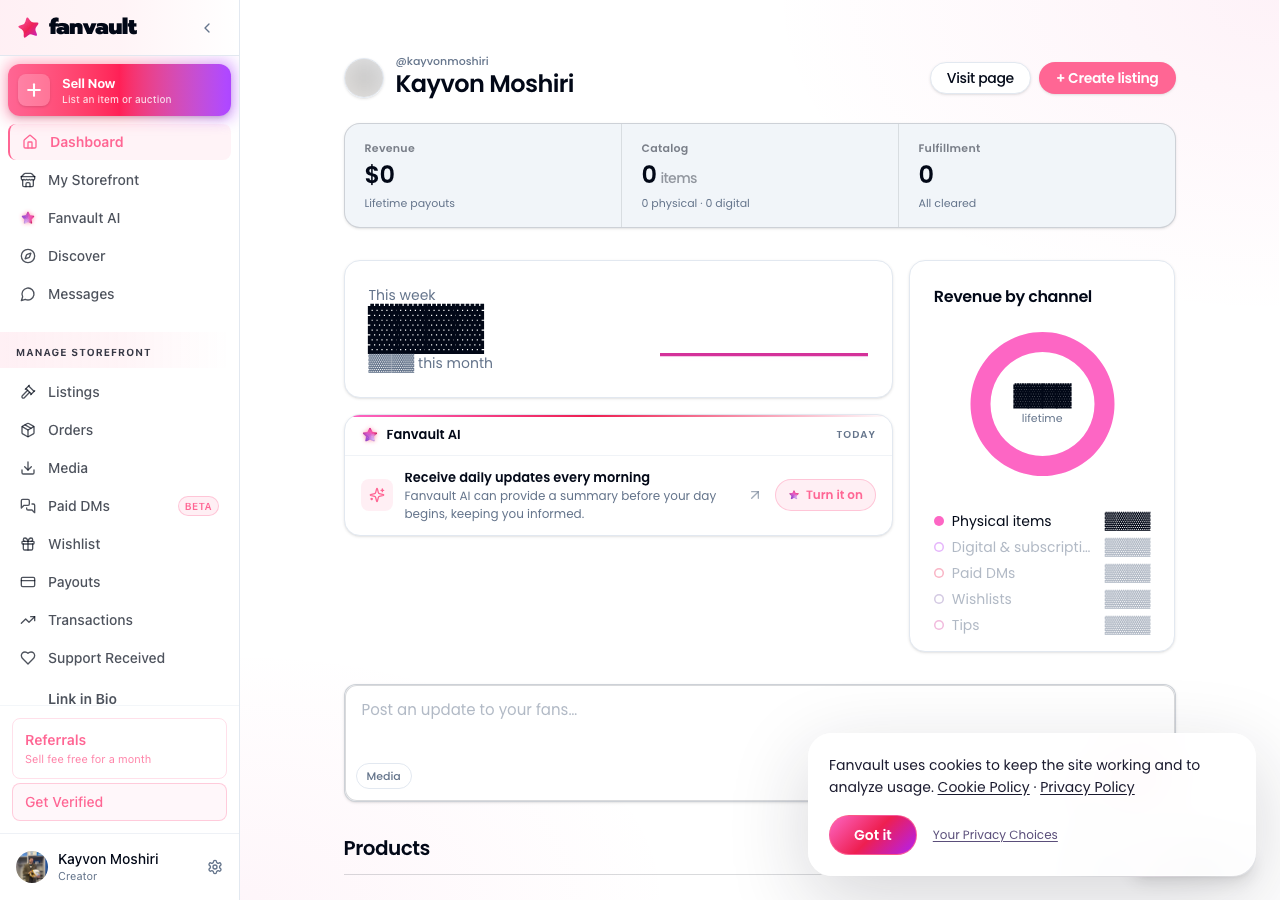
If this is your first visit, the hub walks you through a two-step activation. You do not need to link Stripe again if your storefront is already accepting payments. The same Stripe Connect account that handles auctions and drops routes pack sales automatically.
How do I create my first message pack?
Click New Pack. Give the pack a name your fans will recognize on their receipt (something like "10 Messages" is fine), then set the credit count. Fanvault suggests starter sizes of 5, 10, and 25 credits, and you can add custom tiers with one click.
Each credit equals one inbound message from the fan. Your replies stay free forever, so a 10-credit pack unlocks a full back-and-forth thread. Save the pack and it appears on your storefront within a few seconds, no republish step needed.
How should I price a pack?
Set the pack price in the currency your storefront runs on. Fanvault takes a flat 8% on every pack sold, so you keep 92% of the sticker price after Stripe processing. For context, here is what the same pack nets you on the three closest platforms:
| Pack price | Fanvault | Fanvue | Fanfix |
|---|---|---|---|
| $20 | $18.40 | $17.00 | ~$16.00 |
| $50 | $46.00 | $42.50 | ~$40.00 |
| $100 | $92.00 | $85.00 | ~$80.00 |
Most creators find that a mid-tier pack (usually 10 to 15 credits) is the volume seller. Anchor with a small starter pack and a larger power-user tier so the middle option looks like the natural pick for a new fan.
How do the AI-drafted replies work?
Open the Reply Assistant panel inside Paid DMs and flip it on. Whenever a fan spends a credit, Fanvault reads the message and drafts a reply in your voice, based on how you have been chatting with fans lately. You see the draft above the reply box with a Send button and an Edit button.
Nothing sends automatically. You approve every message, so the tone stays yours even when the inbox is busy. Most creators use the assistant to keep response times under an hour without giving up their whole evening.
How do I announce the pack to my fans?
Once the pack is live, drop the storefront link into a pinned post, a Story on @fanvault.shop, and a fresh post on @FanvaultShop. Fanvault also generates a copy-ready DM template you can paste into your existing platforms so warm followers know exactly what a pack unlocks.
Check the Paid DMs analytics tab after your first week. It shows credits sold, average reply time, and which pack size fans reach for most. Use that data to trim slow tiers or add a bigger one.
What does this unlock for you as a creator?
Paid DMs turn your inbox from a time sink into a paid channel, and it does the work without a third-party bot, a Telegram detour, or a spreadsheet of who paid what. You keep 92% of every pack, the Reply Assistant protects your evenings, and every conversation feeds the same Fanvault storefront your fans already trust for drops and auctions. That is what an inbox looks like when it runs itself.
Frequently Asked Questions
Do I need a separate Stripe account for Paid DMs?
No. If your Fanvault storefront is already accepting payments for drops, auctions, or subscriptions, the same Stripe Connect account handles Paid DM pack sales automatically. You will not see a second onboarding flow, and payouts land on the same schedule as the rest of your Fanvault revenue.
Can I refund a fan who bought the wrong pack?
Yes. Open the fan's conversation in the Paid DMs inbox, click the receipt icon at the top, and choose Refund Pack. Fanvault reverses the Stripe charge and pulls back any unused credits from the fan's balance. Credits the fan has already spent to send you messages stay spent, since those replies already happened.
Does the AI Reply Assistant ever send a message on its own?
Never. The assistant only drafts a reply and waits for you to hit Send. You can edit the draft first, ignore it entirely, or turn the feature off from the Reply Assistant panel at any time. Your voice stays yours, even on your busiest inbox nights.
Can fans send photos, voice notes, or video with a credit?
Yes. One credit covers a single inbound message, and that message can be text, a photo, a voice note, or a short video. Fanvault runs the same Sightengine moderation on inbound media that it runs on the rest of your storefront, so you never see anything that violates the platform's brand-safe content standards.