
You found something in a drawer — old coins, a signed jersey, a piece of merch you've been meaning to sell. You want to list it. But you don't want to open a browser, fill out a form, write a description, set a price, upload photos, and remember where all the buttons are. You just want it sold. That's exactly what the Fanvault Telegram bot is for.
What Is the Fanvault AI Telegram Assistant?
The Fanvault AI Telegram Assistant is a conversational AI that lets you create auction listings directly from Telegram, using nothing but a photo and a quick back-and-forth chat. No extra forms to fill out. Just connect the bot once, then message it anytime you have something to sell — and your auction is live.
It's built for creators who are always on their phones — the kind of person who wants to flip something between sets, on the tour bus, or at 2am when inspiration strikes. Your Fanvault store is now always in your pocket.
What Can It Do?
The bot handles the full listing flow from your phone:
- Identifies items from photos — send a photo and the AI tells you what it sees, including details like year, edition, and condition
- Writes the description for you — based on what it sees and what you tell it, it drafts the listing copy automatically
- Collects listing details conversationally — title, starting bid, duration, all through natural chat
- Confirms before going live — shows you a full summary and waits for your "yes" before posting
- Creates the auction on Fanvault — once confirmed, the listing appears on your storefront in real time
How to Use It: Step by Step
Here's exactly how it works, from setup to your first published auction.
Step 1 — Connect the bot: Go to your Creator Dashboard on Fanvault and click Telegram Bot in the left sidebar. You'll see a "Not Connected" screen — click Connect Telegram. A QR code will appear: scan it with your phone's camera, or click Open in Telegram to launch the bot directly. Once in Telegram, press Start and the page will automatically update to show you're connected.
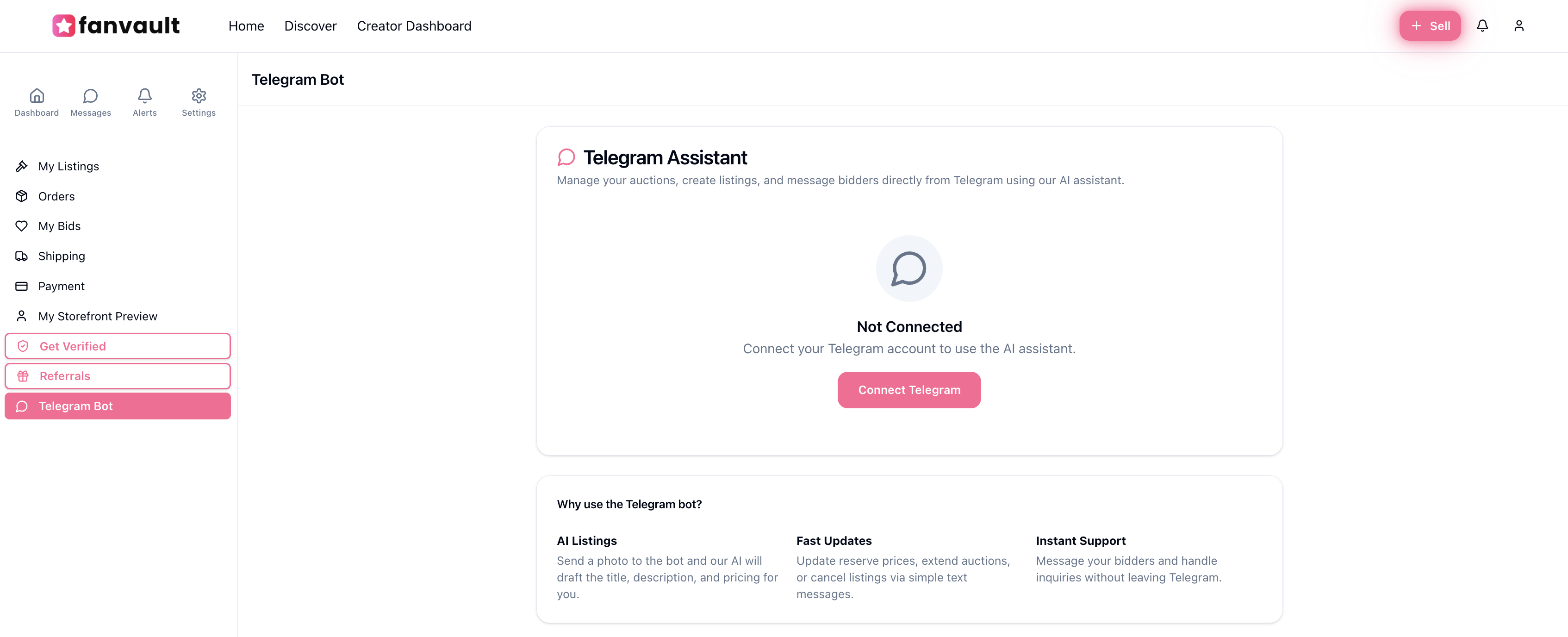
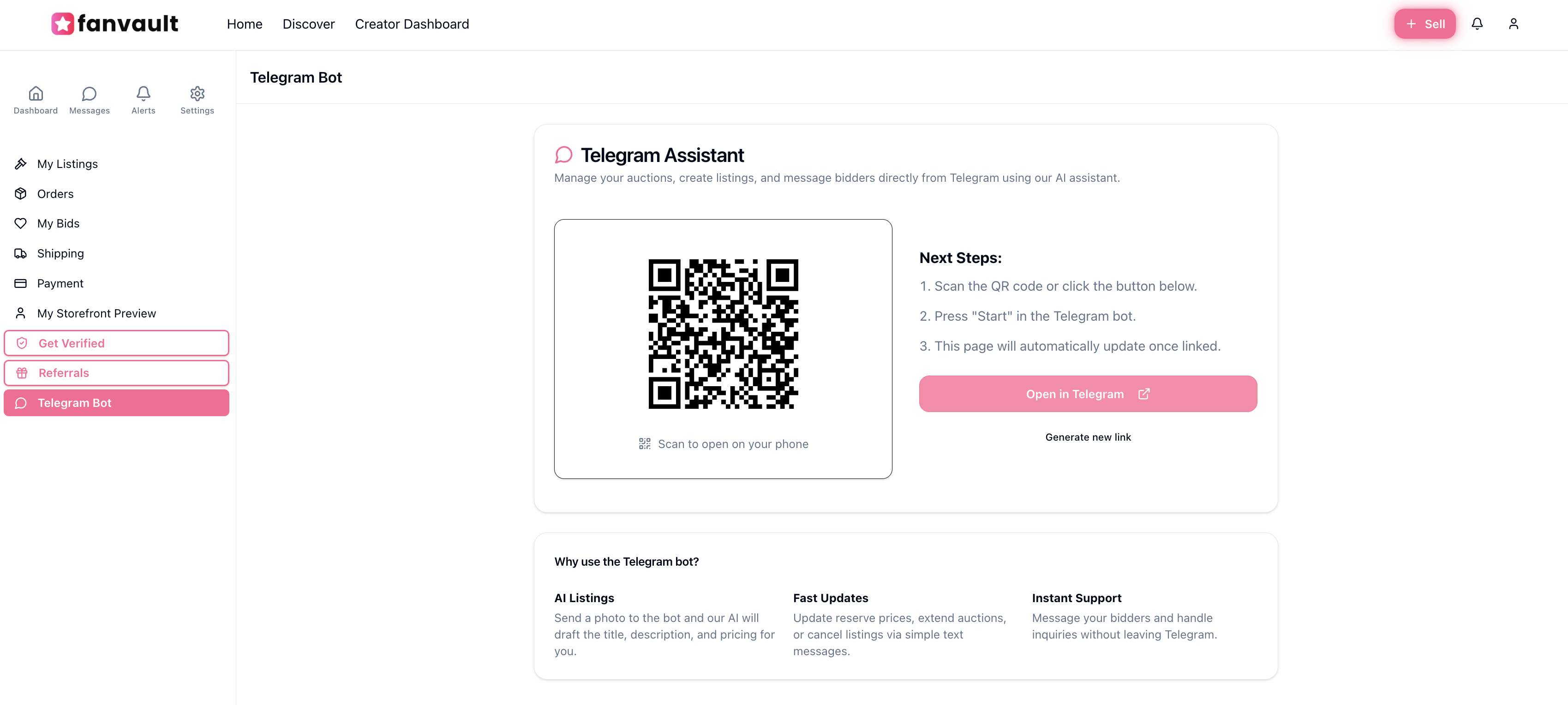
↑ Creator Dashboard → Telegram Bot → Connect Telegram → scan the QR or tap Open in Telegram
Step 2 — Send a photo: In the Telegram bot, send a photo of the item you want to sell. Just tap the attachment icon and send it. The bot analyzes it instantly — identifying the item, its details, and its approximate condition.
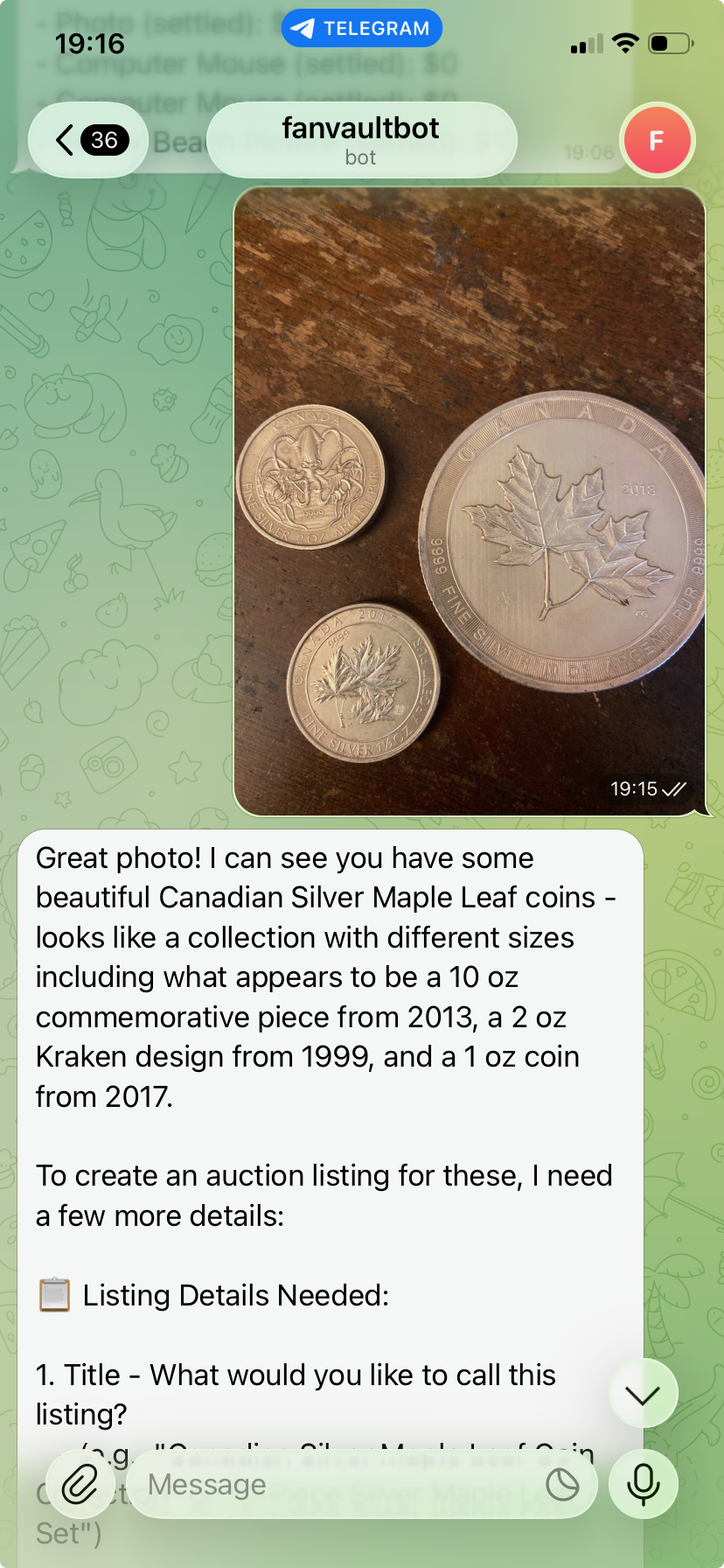
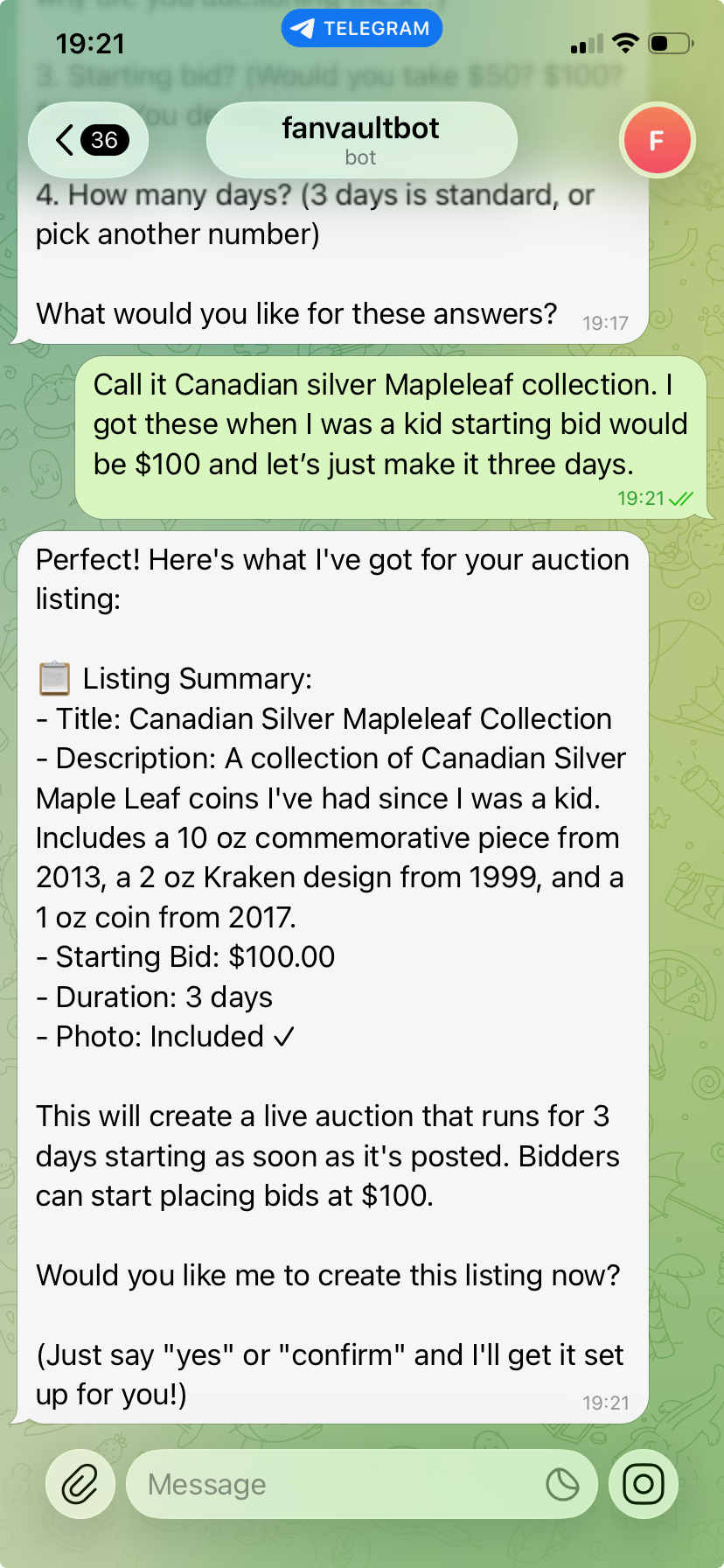
↑ Send a photo, the bot identifies the item and guides you through title, bid, and duration in plain chat
Step 3 — Answer the bot's questions: Reply in plain English. It'll ask for a title, your starting bid, and how many days you want the auction to run. You can answer conversationally — no strict format required.
Step 4 — Review the summary: The bot presents a full Listing Summary — title, description it wrote for you, starting bid, duration, and photo confirmation. Take a moment to make sure everything looks right.
Step 5 — Confirm and go live: Say "yes" or "confirm", and the auction goes live on your Fanvault storefront. Fans can start bidding immediately.
Who Is This For?
- Merch you've been meaning to list — tour gear, studio session props, signed items found while cleaning up
- Impulse sells on the go — wearing something on stream, fans ask if it's for sale, list it right then from your phone
- Collectibles and memorabilia — coins, cards, vintage items you want to identify and price without doing the research yourself
- Anyone who finds forms tedious — if the listing wizard feels like too many clicks, the bot removes all the friction
Get Started
The biggest reason creators don't sell more is friction — you have stuff your fans would love to own, you just never get around to listing it. The Fanvault Telegram bot makes listing so fast that "I'll do it later" stops being an excuse. Head to your Creator Dashboard → Telegram Bot to connect in under a minute, then list your first item straight from your phone.